
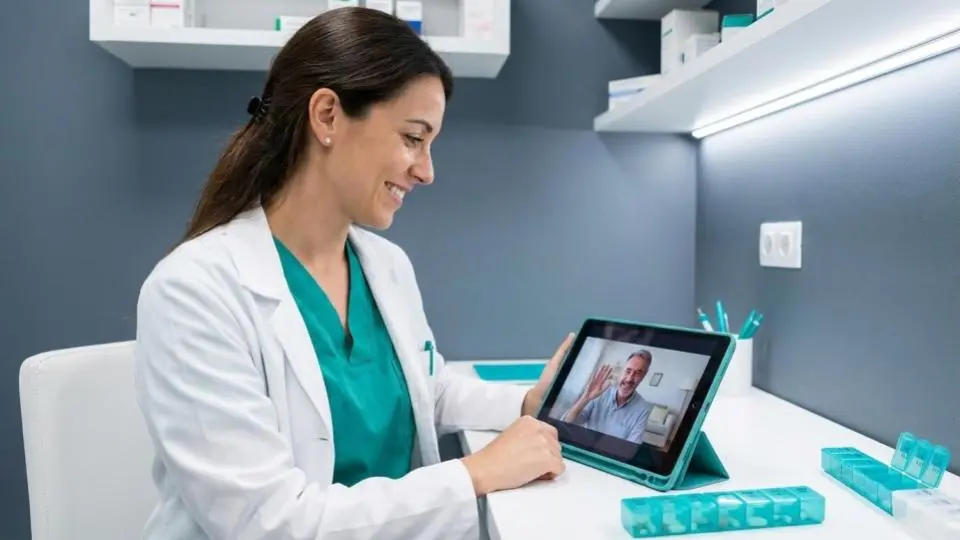
Video consultations have become a standard feature of modern pharmacy practice. Patients expect the option to consult remotely for follow-ups, medication reviews, and certain private services. For pharmacies offering private prescribing services, video consultations expand your reach beyond your local area and increase appointment capacity without requiring additional physical space.
This guide covers how to set up video consultations in your pharmacy, the technology you need, clinical considerations, and how to integrate remote consultations with your existing workflow.
Why Pharmacies Need Video Consultations
Patient Demand
Since 2020, patient expectations for remote healthcare have shifted permanently. Surveys consistently show that 40–60% of patients prefer video consultations for follow-ups, medication reviews, and non-emergency consultations. Pharmacies that offer video alongside face-to-face attract a wider patient base.
Business Benefits
- Extended reach — serve patients beyond your immediate catchment area, especially for specialist services
- Increased capacity — video consultations are often shorter than in-person appointments, allowing more patients per hour
- Reduced no-shows — patients are less likely to miss a video appointment they can attend from home
- Lower overhead — no additional consultation room needed for remote appointments
- Flexible scheduling — offer early morning or evening slots without extended pharmacy opening hours
Services Suited to Video Consultations
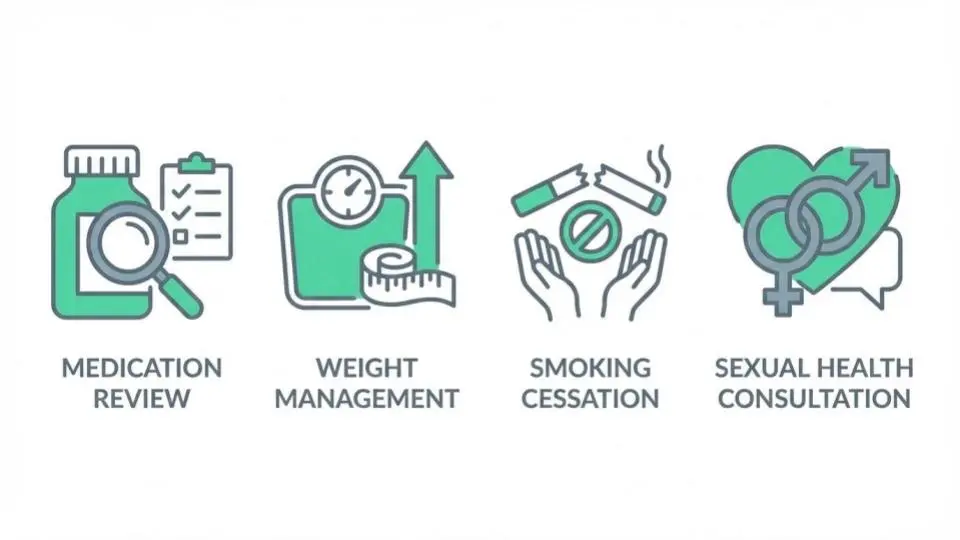
Not all services are appropriate for video delivery. The following work well remotely:
- Weight management follow-ups — progress reviews, dose adjustments, lifestyle counselling
- Hair loss treatment reviews — monitoring and repeat prescribing
- Smoking cessation check-ins — motivational support and prescription renewals
- Medication reviews — discussing ongoing treatments and side effects
- Sexual health follow-ups — test results and repeat prescriptions
- Travel health pre-screening — destination risk assessment before in-person vaccination
- Weight management initial assessments — where physical examination is not required
Technology Requirements
Video Platform Options
There are three approaches to video consultations:
| Approach | Pros | Cons |
|---|---|---|
| Standalone video tool (Zoom, Teams) | Low cost, familiar to patients | No integration with prescribing, manual record keeping, GDPR concerns |
| Healthcare video platform (AccuRx, Patchs) | NHS-compliant, clinical features | Still separate from prescribing software, additional subscription |
| Integrated pharmacy platform (RxSure) | One system for booking, video, prescribing, payments | Requires platform subscription |
The integrated approach is strongly recommended for private prescribing services because it maintains a complete audit trail from booking through consultation to prescription and payment — all in one patient record.
Hardware Requirements
- Computer or tablet — with webcam and microphone (most modern devices are suitable)
- Reliable internet — minimum 10 Mbps upload/download for stable HD video
- Headset with microphone — for patient privacy and audio clarity
- Good lighting — patients should be able to see you clearly
- Quiet, private space — confidentiality is essential, even for remote consultations
Setting Up Video Consultations: Step by Step
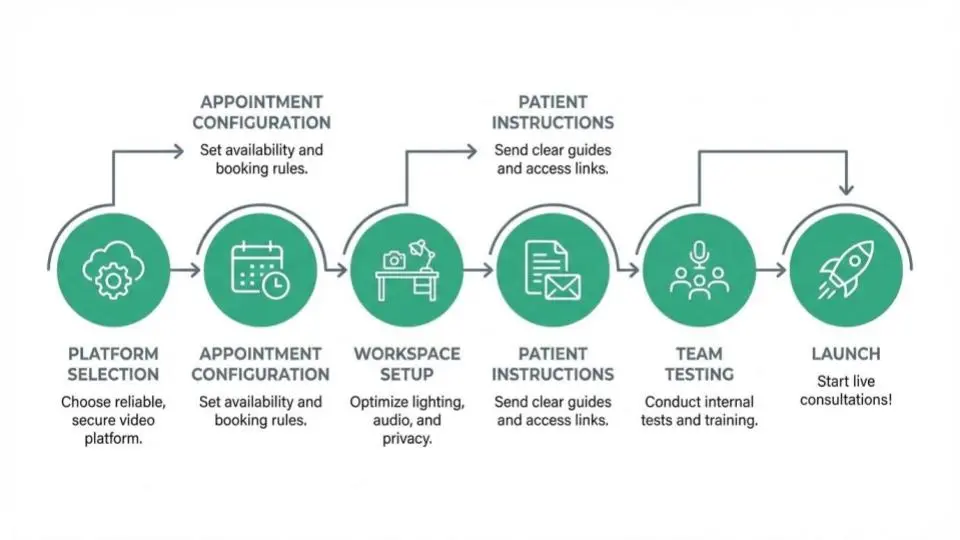
Step 1: Choose Your Platform
Select e-prescribing software with built-in or integrated video consultation capability. This ensures your video consultations connect directly to patient records, prescribing, and payment.
Step 2: Configure Appointment Types
Create separate appointment types for video and in-person consultations. Set appropriate durations — video follow-ups may be shorter (10–15 minutes) than initial in-person assessments (20–30 minutes).
Step 3: Set Up Your Consultation Space
Designate a quiet, well-lit area with a professional background. Test your camera angle, lighting, and audio before your first patient consultation.
Step 4: Create Patient Instructions
Provide clear joining instructions: how to access the video link, what to prepare (medications list, symptoms log), technical requirements (browser, internet), and what to do if they experience connection issues.
Step 5: Test with Your Team
Run practice consultations with colleagues to test the technology, workflow, and timing. Identify and resolve any issues before seeing real patients.
Step 6: Launch with Follow-Up Patients First
Start by offering video for follow-up appointments with existing patients. They already know your service and are more forgiving of any early technical issues. Expand to new patient consultations once the workflow is smooth.
Clinical Governance for Video Consultations
Remote consultations carry specific GPhC compliance requirements:
Identity Verification
Verify patient identity at the start of every video consultation. For new patients, request photo ID to be shown on camera. For existing patients, confirm identity using known details from their record.
Clinical Assessment Limitations
Document any limitations of the remote assessment. If a physical examination is needed, arrange an in-person follow-up. Never prescribe where the clinical assessment is inadequate.
Consent and Recording
Obtain and document patient consent for video consultation. If recording consultations (for quality assurance), obtain explicit consent. Most platforms allow consultation notes without video recording.
Prescribing Remotely
Remote prescribing follows the same clinical standards as in-person prescribing. Document your clinical rationale thoroughly, as the consultation record is your evidence of appropriate care. Electronic prescription generation makes this seamless.
Data Security
Ensure your video platform is GDPR-compliant with end-to-end encryption. Never use personal social media accounts or unsecured video calls for clinical consultations.
Pricing Video Consultations
Video consultations can be priced at or near in-person rates for initial assessments, and slightly lower for follow-ups:
| Consultation Type | Typical Video Fee |
|---|---|
| Initial assessment (20 min) | £35–£65 |
| Follow-up review (10–15 min) | £20–£40 |
| Medication review (15 min) | £25–£45 |
| Weight management review (15 min) | £30–£50 |
The higher throughput of video consultations often means more revenue per hour despite slightly lower per-appointment fees.
Common Challenges and Solutions
- Patient technology barriers — provide clear written and video instructions; offer a phone call alternative for less tech-savvy patients
- Connection issues — have a backup plan (phone call continuation); test your internet before each session
- Clinical limitations — be clear about what can and cannot be assessed remotely; never compromise on clinical safety
- Record keeping — use integrated software that automatically links video consultation notes to the patient record and prescription
- Patient privacy — advise patients to join from a private location; confirm they are alone (or who is present) at the start of the consultation
Key Takeaways
- Video consultations expand your patient reach and increase appointment capacity without additional physical space
- Integrated platforms that combine video with booking, prescribing, and payments provide the best workflow
- Start with follow-up appointments for existing patients, then expand to new patient assessments
- Clinical governance standards are the same for video as for in-person consultations
- Video is ideal for weight management follow-ups, medication reviews, and repeat prescribing
- RxSure provides integrated video consultations within the complete pharmacy prescribing platform
Ready to offer video consultations in your pharmacy? Start your free 3-month RxSure trial and connect with patients anywhere in the UK.