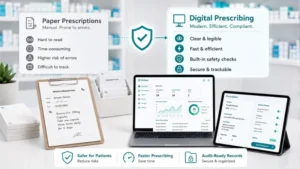

Best Private Prescription Software for UK Pharmacies (2026)
Complete evaluation guide for UK pharmacies choosing private prescription software in 2026. Covers five platform types, non-negotiable compliance requirements, pricing analysis, feature comparison, and implementation planning.
Choosing the right private prescription software is one of the most consequential decisions an independent prescribing pharmacist or pharmacy owner will make. Get it right and you gain a simpler clinical workflow, satisfied patients, clean audit trails, and a revenue stream that grows without adding administrative overhead. Get it wrong and you are left managing compliance gaps with spreadsheets, paying hidden per-prescription fees that erode your margins, and fielding patient complaints about clunky booking journeys.
The UK market for private prescription software has expanded rapidly since NHS pressures pushed more patients toward private routes. That expansion has brought genuine innovation, but it has also brought a wave of platforms that look impressive in a demo and disappoint in production. This guide cuts through the noise. We have evaluated every major platform type, mapped the non-negotiable compliance requirements under UK law, and built the comparison framework you need to make a confident, defensible decision.
If you are a pharmacist independent prescriber launching your first private service, a pharmacy group scaling across multiple branches, or a GP practice exploring supplementary prescribing arrangements, this is the buying guide you should read before you sign anything.
Why the Stakes Are Higher Than You Think
Private prescribing sits at the intersection of clinical practice, commercial operation, and legal obligation. The Human Medicines Regulations 2012 (Regulation 217) set out the mandatory elements of a valid private prescription, prescriber name and address, patient details, date, signature, and specific wording for controlled drugs. Your software must generate prescriptions that meet these requirements without you having to manually check every field.
The GPhC Standards for Registered Pharmacies (Standard 4) require demonstrable governance of clinical decision-making and comprehensive records of every clinical intervention. The ICO Guide to UK GDPR demands that patient data is processed lawfully, stored securely, and never retained beyond its legitimate purpose. GMC Good Medical Practice, where medical prescribers are involved, adds further layers around clinical justification and patient safety.
Software that does not natively support these frameworks does not just create administrative inconvenience, it creates regulatory exposure. An audit trail that lives in a spreadsheet, a prescription template that omits required fields, a patient record stored in an unencrypted email thread: these are not theoretical risks. They are the kinds of findings that appear in GPhC inspection reports and referrals to professional regulators.
The right e-prescribing software should make compliance your default state, not something you bolt on after the fact.
Five Types of Private Prescription Software
Before comparing specific platforms, it helps to understand the five broad categories operating in the UK market. Each has a different philosophy, a different cost structure, and a different risk profile.
1. All-in-One Private Prescribing Platforms
These platforms are purpose-built for private prescribing from the ground up. They handle the full patient journey: self-service booking, pre-screening questionnaires, guided clinical consultations, structured safety checks, prescription generation, payment processing, and document storage, all within a single application.
Strengths: No data fragmentation across tools, consistent audit trail, single vendor relationship, and purpose-built compliance features. The patient experience is smooth because every touchpoint lives within the same system.
Weaknesses: Higher upfront cost than entry-level alternatives. Switching costs are real if you commit long-term and later find the platform does not evolve with your needs. Vendor lock-in is a genuine concern if your data export options are limited.
Best for: Pharmacist independent prescribers running a serious private service, pharmacy groups with multiple prescribers, and any operation where compliance risk is non-negotiable. If you are building a weight management clinic or multiple clinical services, this is the category to prioritise.
2. Free Private Prescription Tools
Several platforms offer a free tier, typically covering basic prescription generation with manual patient management. Some are genuinely free; others are loss-leaders designed to upsell premium features once you are embedded.
Strengths: Zero cost to start. Useful for very low-volume prescribers testing the private market before committing to a paid platform.
Weaknesses: Compliance coverage is almost always incomplete. Audit trails are minimal, pre-screening is absent, and patient data management typically requires manual workarounds. Free tools rarely handle payments, booking, or consultation guidance, meaning you are stitching together multiple systems and creating data silos that regulators will notice.
Best for: Prescribers writing fewer than ten private prescriptions per month who are using private prescribing as a minor supplementary activity, not a core service line.
3. Pay-Per-Prescription Platforms
These platforms charge a fee for each prescription generated, typically between £2 and £8 per script. The appeal is obvious: no upfront commitment, pay only for what you use.
Strengths: Low barrier to entry, predictable cost at very low volumes, no monthly commitment.
Weaknesses: The economics become brutal as volume grows. At 200 prescriptions per month, a £5 per-script fee costs £12,000 per year, significantly more than a flat-rate platform. The fee structure also creates a perverse incentive: the platform profits more when you prescribe more, which is the wrong alignment for a clinical governance tool. These platforms also rarely include consultation guidance, pre-screening, or structured safety checks, because those features require investment the per-prescription margin cannot support.
Best for: Genuinely low-volume prescribers (under 30 Rx/month) who need basic prescription generation and have another system handling clinical governance.
4. Freemium Platforms
Freemium platforms offer a functional free tier alongside paid upgrades for advanced features. The free tier is usually sufficient for basic prescription generation; compliance features, multi-user access, and advanced reporting live behind a paywall.
Strengths: Allows meaningful evaluation before purchase. Some freemium platforms have genuinely good free tiers for solo prescribers.
Weaknesses: Feature gating means the features you actually need for a compliant operation are almost always in the paid tier. You often end up spending more than a flat-rate platform costs once you access everything you need. Migration from freemium to a competing platform is disruptive.
Best for: Solo prescribers who want to evaluate a platform at low cost before scaling, provided they understand which compliance features require a paid upgrade.
5. Dispensing-First Platforms
These are pharmacy management systems, PMR software, that have added a private prescribing module as an extension of their dispensing workflow. They are built for dispensing and have retrofitted prescribing capability.
Strengths: Strong integration with dispensing workflows. If you are a busy dispensing pharmacy that wants to add a small volume of private prescribing, this avoids a second system.
Weaknesses: The prescribing module is invariably a second-class citizen within the platform. Clinical consultation guidance, patient-facing booking, pre-screening questionnaires, and payment processing are typically absent or rudimentary. The patient experience is designed around dispensing, not independent prescribing consultations.
Best for: High-volume dispensing pharmacies adding private prescribing as a minor service extension, where the clinical consultation happens in person and the software only needs to generate and record the prescription.
Non-Negotiable Requirements Before You Compare
Before you open a single demo, establish your minimum viable compliance baseline. These are the requirements that must be met regardless of price, feature set, or sales pitch. Any platform that cannot demonstrate all of them is not suitable for a UK private prescribing operation.
Regulatory Compliance and Prescription Format
The platform must generate prescriptions that comply with the Human Medicines Regulations 2012 (Regulation 217). This means the prescription output must include: the prescriber’s name, qualification, and address; the patient’s full name and address; the date of prescribing; the drug name (preferably generic), form, strength, and quantity; dosage instructions; and the prescriber’s signature. For controlled drugs, additional requirements apply under the Misuse of Drugs Regulations 2001.
Ask to see a sample prescription output before you commit. If the vendor cannot show you a completed prescription that meets Regulation 217 requirements, walk away.
Audit Trails and GPhC Standard 4
GPhC Standard 4 requires pharmacies to maintain records that demonstrate safe and effective practice. For private prescribing, this means a complete, timestamped, tamper-evident record of every clinical interaction: the pre-screening responses, the clinical assessment, the prescribing decision and its rationale, any safety alerts triggered, and the patient’s consent to treatment.
Your software must generate this audit trail automatically, without relying on manual note-taking. It must be retrievable, ideally searchable, and it must be exportable if you ever need to produce records for a GPhC inspection, an NHS audit, or a legal proceeding.
UK GDPR Compliance and Data Security
Patient data processed in connection with private prescribing is special category health data under UK GDPR. The ICO Guide to UK GDPR requires a lawful basis for processing (typically explicit consent combined with the provision of healthcare), appropriate technical and organisational security measures, and clear data retention and deletion policies.
Ask every vendor: Where is patient data stored? Is it in UK or EEA data centres? What encryption standard is used at rest and in transit? How long is data retained, and what is the deletion process? Do they have a signed Data Processing Agreement available? Can they provide evidence of regular penetration testing or security audits?
Structured Clinical Workflow
A compliant private prescribing consultation is not just a prescription with a signature. It requires a structured clinical assessment: symptom history, contraindication screening, medication interactions check, clinical decision with documented rationale, and patient counselling record. Your pharmacy consultation software must guide this process, not leave it to chance.
Platforms that offer only a text box for “clinical notes” are not providing a structured consultation tool. They are providing a blank page with legal exposure attached.
Pre-Screening and Safety Alerts
Before a prescriber sees a patient, the platform should have collected and structured the relevant clinical information: chief complaint, relevant medical history, current medications, allergies, and contraindications relevant to the likely prescribing decision. This pre-screening serves two purposes: it makes the consultation more efficient, and it creates the pre-clinical documentation that forms part of the audit trail.
Safety alerts, automatic flags when a patient’s responses suggest a contraindication, a drug interaction, or a clinical red flag, are not a luxury feature. They are a patient safety mechanism. Any platform that asks you to check for contraindications manually is adding clinical risk.
Patient Self-Service and Experience
Patients choosing private prescribing have a different expectation from NHS patients. They expect online booking, clear pricing, prompt service, and a professional digital experience. Platforms that require phone calls, manual appointment management, or paper-based intake forms will undermine your service quality regardless of their clinical features.
Patient self-service booking, automated appointment reminders, digital prescription delivery, and a clear patient portal are table-stakes for a competitive private service in 2026.
How to Evaluate Private Prescription Software
With your minimum requirements established, apply a consistent evaluation framework across every platform you assess. These six criteria will structure your comparison and prevent you from being swayed by features that look impressive but do not serve your core clinical and commercial needs.
1. Feature Completeness
Does the platform cover the full patient journey, booking, pre-screening, consultation, prescribing, payment, and records, or does it require supplementary tools? Every additional tool you integrate is a potential data silo, a compliance gap, and an operational headache. Favour platforms that reduce the number of systems you manage, not increase them.
2. Clinical Safety
How does the platform handle clinical governance? Is there a structured consultation template? Are contraindication checks automated? Does the platform enforce formulary restrictions? Can you run prescribing audits? Clinical safety features are not a differentiator between good platforms, they are a threshold requirement. Platforms that lack them should not be on your shortlist.
3. Value for Money
Compare the total cost of ownership across a 12-month period, not the headline monthly fee. Include per-transaction fees, payment processing costs, implementation fees, and the cost of any supplementary tools you need because the platform does not cover them natively. A platform priced at £99/month that requires a £50/month booking tool and a £30/month payment processor costs £179/month, more than an all-in-one at £150/month that covers everything. Our pricing guide for private prescribing services covers fee structures in detail.
4. Compliance and Audit Capability
Can you produce a complete prescribing audit report on demand? Can you retrieve every prescription, every consultation record, and every patient interaction for a specific date range? Can you export records in a standard format if you ever need to migrate or present evidence to a regulator? These capabilities matter more than most prescribers appreciate, until they need them.
5. Scalability
Will the platform grow with you? Can you add prescribers, locations, and service types without rebuilding your workflow? Does the pricing model remain sensible at higher volumes? A platform that works for a solo prescriber doing 20 scripts a month may become unwieldy, and expensive, at 200. Evaluate not just where you are, but where you intend to be in two years.
6. Integration and Support
Does the platform integrate with your existing tools, your PMR, your accountancy software, your communications platform? What does the vendor’s support model look like: is there a real person available when something goes wrong, or are you dependent on a ticketing system and a knowledge base? For a clinical operation, downtime is not a minor inconvenience. It is a patient safety issue.
The Pricing Trap: Per-Prescription vs Flat Rate
The most consequential pricing decision you will make is whether to use a per-prescription platform or a flat-rate platform. The difference compounds dramatically as your volume grows, and the maths consistently favours flat-rate platforms for any prescriber running a serious service.
Consider the following 12-month cost analysis across two volume scenarios:
| Pricing Model | 50 Rx/month (12 months) | 200 Rx/month (12 months) |
|---|---|---|
| Per-prescription @ £3/Rx | £1,800/yr | £7,200/yr |
| Per-prescription @ £5/Rx | £3,000/yr | £12,000/yr |
| Per-prescription @ £8/Rx | £4,800/yr | £19,200/yr |
| Flat rate @ £99/month | £1,188/yr | £1,188/yr |
| Flat rate @ £29.99/month (plus £1.25 per consultation) | £2,388/yr | £2,388/yr |
At 50 prescriptions per month, a mid-range per-prescription fee (£5/Rx) costs £3,000 per year. An all-in-one platform at £29.99/month (plus £1.25 per consultation) costs £2,388, and includes features the per-prescription platform does not offer at any price. At 200 prescriptions per month, the gap becomes indefensible: £12,000 versus £2,388, a difference of nearly £10,000 annually.
The deeper problem with per-prescription pricing is the misaligned incentive it creates. A platform that earns more when you prescribe more has a commercial interest in the volume of your prescribing, not in the quality or efficiency of your clinical operation. Flat-rate platforms are aligned with your success as a prescriber because your growth does not increase their revenue, it just makes their product more valuable to you.
There is a legitimate use case for per-prescription pricing: very low-volume prescribers (under 20–25 scripts per month) who are using private prescribing as an occasional supplementary activity and want to avoid any fixed monthly commitment. For everyone else, a flat-rate platform is almost certainly more economical within six months.
Feature Comparison by Platform Type
The table below maps key features against each platform type to help you identify which category fits your operational model.
| Feature | All-in-One | Free Tool | Pay-Per-Rx | Freemium | Dispensing-First |
|---|---|---|---|---|---|
| Compliant Rx generation | ✓ Full | ✓ Basic | ✓ Basic | ✓ Basic | ✓ Full |
| Online patient booking | ✓ | ✗ | ✗ | Paid tier | ✗ |
| Guided consultations | ✓ | ✗ | ✗ | Paid tier | ✗ |
| Pre-screening questionnaires | ✓ | ✗ | ✗ | Paid tier | ✗ |
| Automated safety alerts | ✓ | ✗ | ✗ | ✗ | ✗ |
| Integrated payments | ✓ | ✗ | ✓ | Paid tier | ✗ |
| Multi-site / multi-prescriber | ✓ | ✗ | ✗ | Paid tier | ✓ |
| Video consultations | ✓ | ✗ | ✗ | ✗ | ✗ |
| Audit trail / reporting | ✓ Full | ✗ | Minimal | Paid tier | ✓ Dispensing only |
| Pricing transparency | ✓ Flat rate | Free | Per-Rx | Tiered | Annual licence |
The pattern that emerges is consistent: all-in-one platforms and dispensing-first platforms offer the most complete feature sets, but dispensing-first platforms are designed for a fundamentally different workflow. For independent prescribing pharmacists and pharmacy groups running dedicated private prescribing services, all-in-one platforms are the only category that covers every operational requirement natively.
What to Ask During Platform Demos
A platform demo is a sales event. Your job is to convert it into a technical and compliance evaluation. These seven questions will give you the information that the polished slide deck will not.
1. Where is patient data stored, and can I see your UK GDPR compliance documentation?
A legitimate vendor will have a Data Processing Agreement ready to sign, evidence of UK or EEA data centre hosting, and a clear data retention and deletion policy. If the answer involves vague references to “the cloud” without specifics, that is a red flag. Health data is special category data, you need exact answers.
2. Can I export all my patient records and prescriptions in a portable format?
This question reveals your negotiating position if you ever want to leave. A platform that locks your data in a proprietary format is extracting use from your compliance obligations. Insist on CSV, PDF, or FHIR-compliant export options before you sign a contract.
3. What is your uptime SLA, and what happened during your last significant outage?
Every platform experiences downtime. What matters is how the vendor responds: Do they have a status page? Do they proactively communicate? What is the SLA compensation if downtime exceeds the threshold? Asking about the last outage also tells you whether the vendor is honest about operational reality or only presents best-case scenarios.
4. How does a prescriber retrieve a specific prescription from six months ago?
Walk through this workflow in the demo. Can you search by patient name, date, drug, or prescriber? How many clicks does it take? If you are responding to a GPhC inspection request or a patient complaint, you need to retrieve records quickly. A clunky retrieval process is a compliance risk disguised as a minor UX issue.
5. What integrations do you currently support, and what does your API look like?
If you use a specific PMR, accountancy package, or communication platform, find out whether the integration is native, API-based, or requires a middleware tool. Native integrations are more reliable; API access gives you flexibility but requires development resource. Webhook support is a positive indicator of a mature platform.
6. Who answers the phone when something goes wrong on a Friday afternoon?
This question is deliberately blunt because the answer is revealing. Some vendors offer genuine phone support with a named account manager; others route you to a ticketing system with a 48-hour response commitment. For a clinical operation, 48 hours is not acceptable. Establish the exact support model, the support hours, and the escalation path before you commit.
7. What are your contract terms, and what does exit look like?
Month-to-month contracts with data export rights are the gold standard. Annual contracts are acceptable if the pricing benefit is material. Contracts with auto-renewal clauses, long notice periods, or data deletion on cancellation should be negotiated before signing. Ask specifically: “If I cancel tomorrow, what happens to my patient data, and how long do I have to export it?”
Why an All-in-One Platform Is the Best Choice for Most Prescribers
RxSure is the only all-in-one private prescription platform built specifically for UK pharmacist independent prescribers. Rather than adapting a generic healthcare tool or retrofitting prescribing capability onto a dispensing system, RxSure was designed from first principles around the independent prescribing consultation workflow, patient booking through prescription delivery, with clinical governance built into every step.
Core Features
The platform covers the complete prescribing journey. Patients book appointments through a branded patient portal, complete pre-screening questionnaires before the appointment, and receive automated reminders. The prescribing interface guides the pharmacist prescriber through a structured consultation: symptom assessment, medical history review, contraindication checks, drug interaction screening, clinical decision with documented rationale, and prescription generation, all within a single screen.
Prescriptions are generated automatically in a format compliant with the Human Medicines Regulations 2012 (Regulation 217), with every required field populated from the consultation record. The audit trail is complete, timestamped, and tamper-evident. Integrated payment processing handles consultation fees and prescription charges. Video consultation capability supports remote prescribing for appropriate service types.
The electronic private prescription workflow eliminates the paper trail entirely, patients receive their prescription digitally, and the record lives permanently in the platform with full audit capability.
Pricing
RxSure is priced at £29.99 per month (plus £1.25 per consultation) (flat rate, inclusive of all features). There are no per-prescription fees, no per-user fees for additional prescribers, and no additional charges for multi-site access. At any volume above approximately 40 prescriptions per month, this represents better value than the per-prescription alternatives, and the clinical governance features included in the platform have no equivalent at any per-prescription price point.
Key Differentiators
Three features distinguish RxSure from every other platform in the UK market. First, the pre-screening engine: unlike platforms that offer a blank intake form, RxSure’s pre-screening questionnaires are service-specific, dynamically branching based on patient responses, and automatically flag responses that suggest contraindications or clinical red flags. The prescriber arrives at the consultation with a structured clinical picture, not a pile of free-text notes.
Second, the compliance dashboard: prescribers can run real-time reports across their prescribing activity, by drug, by condition, by patient cohort, by date range, giving them the evidence base for CPD portfolios, peer review, and GPhC inspections. This is not a feature that competitors offer at any price point; it is a capability that typically requires a separate audit tool.
Third, multi-site architecture: pharmacy groups can manage multiple locations, multiple prescribers, and multiple service types within a single account. Each prescriber has their own profile and prescribing record; the group administrator has oversight of all activity. This is structurally impossible on per-prescription or freemium platforms.
Strengths
- Complete compliance coverage out of the box, Regulation 217, GPhC Standard 4, UK GDPR
- Purpose-built for pharmacist independent prescribers (not adapted from a GP or hospital tool)
- Flat-rate pricing that scales without penalty
- Real-time compliance reporting and prescribing audit capability
- Structured pre-screening with dynamic clinical branching
- Patient portal with self-service booking and digital prescription delivery
- Multi-site and multi-prescriber support from day one
- UK-based customer support with named account management
Limitations
- The £29.99/month (plus £1.25 per consultation) flat rate is higher than entry-level alternatives, prescribers doing fewer than 15–20 scripts per month may not reach break-even against free tools in the short term
- Integration with legacy PMR systems requires API configuration, not a plug-and-play connection for all dispensing platforms
- The platform is optimised for independent prescribing consultations; if your primary need is dispensing workflow management, a dispensing-first PMR may be more appropriate as a primary system
For an independent prescriber running a serious private service, or a pharmacy group building a scalable prescribing operation, RxSure is the most complete, most compliant, and most cost-effective option available in the UK market. See the full features overview for a detailed breakdown, or book a demo to see the platform in action.
When Other Platform Types Make Sense
An all-in-one platform is the best choice for most prescribers running a dedicated private service. But “most” is not “all.” Here are the specific scenarios where an alternative platform type is the more rational choice.
Free Tools, When They Work
If you are a pharmacist independent prescriber who writes the occasional private prescription as a supplementary activity, a travel health clinic that generates eight or ten scripts a month, for example, a free tool may be adequate provided you supplement it with robust manual record-keeping. The critical caveat: you must maintain the compliance documentation that the free tool does not generate. If you cannot commit to that discipline, the free tool is not saving you money, it is creating regulatory exposure.
Pay-Per-Prescription, When the Maths Work
If you are genuinely running below 25 prescriptions per month and have no short-term plans to scale, a per-prescription platform can make financial sense. The clinical governance gap remains, however, you will need to document consultations separately. Use a pay-per-prescription platform only if you have a watertight manual process for clinical record-keeping and audit trail maintenance.
Freemium, For Evaluation, Not Production
Freemium platforms are most useful as evaluation tools: use the free tier to understand whether a platform’s workflow fits your practice, then upgrade if it does. Avoid treating a freemium platform as your permanent production system unless you have fully mapped which compliance features are behind the paywall and confirmed the paid tier meets your requirements.
Dispensing-First, When You Are Primarily a Dispensing Pharmacy
If your primary operation is a busy community pharmacy with high dispensing volume, and private prescribing represents fewer than 10% of your clinical interactions, integrating a prescribing module into your existing PMR may be the path of least disruption. The clinical governance gap remains, your PMR’s prescribing module will not offer structured consultations or pre-screening, but the workflow integration benefits may outweigh this for a genuinely low-volume prescribing activity.
Implementation: What Go-Live Actually Looks Like
Platform demos always make go-live look effortless. Reality is more nuanced. Understanding what implementation actually involves, and how it varies by platform type, will help you plan realistically.
Same-Day Platforms
Some platforms advertise same-day activation. This is technically possible for basic prescription generation tools, but “activated” and “compliant” are different things. A same-day platform that gives you access to a prescription template does not automatically configure your audit trail, your UK GDPR documentation, your patient consent workflow, or your clinical governance records. Budget time for this configuration regardless of how quickly the platform itself activates.
Week-One Implementation
A serious all-in-one platform should be fully operational within five to seven working days. Week one typically covers: account setup and prescriber profile configuration, service type creation and pricing, patient portal customisation (branding, booking flow, intake forms), payment gateway integration, and prescriber training. If implementation is taking longer than two weeks, something is wrong, either the platform is more complex than necessary, or the vendor’s onboarding process is under-resourced.
Month-One Optimisation
By the end of the first month, you should have: a live patient booking flow, at least five completed consultations in the audit trail, your first prescribing report generated, your Data Processing Agreement signed and filed, and your team trained on the platform. Use the first month’s data to optimise your pre-screening questionnaires, patient responses will reveal gaps in the intake flow that are not apparent until real patients complete it.
One practical tip that saves significant time: configure your consultation templates before you see your first patient, not after. The temptation is to start taking bookings immediately and configure the clinical tools as you go. Resist it. A consultation template built after 50 patients is missing 50 consultations’ worth of audit trail.
Clinical Governance Integration
Clinical governance is not a software feature, it is a professional obligation. But the right software makes it dramatically easier to meet that obligation, and the wrong software makes it nearly impossible to demonstrate that you have met it at all. Our GPhC compliance guide covers the full inspection framework and what auditors expect to see.
Prescribing Audits
Your platform should enable you to run a prescribing audit on demand: how many prescriptions for a specific drug in the past 90 days, what was the distribution of diagnoses, were there any instances where a safety alert was triggered and overridden, and what was the outcome for those patients. This is the kind of audit that GPhC inspectors increasingly expect to see, not as a periodic exercise, but as evidence of a functioning clinical governance system.
RxSure’s compliance dashboard generates these reports in real time. If you are using a platform that requires you to export data to a spreadsheet to run a prescribing audit, you are doing more work than necessary and creating more opportunities for error.
Formulary Enforcement
If your service operates within a defined formulary, for example, a weight management service restricted to specific licensed medicines, your platform should enforce those restrictions at the point of prescribing. A prescriber who wants to issue a prescription outside the formulary should be prompted to document the clinical rationale for the exception. This is not bureaucratic over-reach; it is the kind of safeguard that prevents prescribing drift and protects both patients and prescribers.
Peer Review and Supervision
For pharmacy groups with multiple prescribers, or for newly registered independent prescribers building their practice under supervision, your platform should support structured peer review. This means a named reviewer can access a prescriber’s consultation records, annotate them, and record the outcome of the review, all within the platform’s audit trail. Peer review that happens outside the platform is peer review that cannot be evidenced.
CPD Evidence
The GPhC requires pharmacists to maintain a CPD portfolio that demonstrates reflective practice. For independent prescribers, prescribing audit data is some of the most compelling CPD evidence available, it shows not just what you have done, but what you have learned from doing it. A platform that generates clean prescribing reports gives you a direct feed into your CPD portfolio. A platform that requires you to reconstruct your prescribing history from scattered records does not. See our post on pharmacy compliance and certificate management for more on maintaining audit-ready records.
Your Evaluation Checklist
Before you make your final platform decision, work through these four checkpoints:
- Compliance baseline confirmed. The platform generates prescriptions compliant with Human Medicines Regulations 2012 (Regulation 217), maintains a complete GPhC Standard 4 audit trail, and operates within UK GDPR requirements with a signed Data Processing Agreement available.
- Total cost of ownership calculated. You have compared 12-month costs inclusive of all fees (subscription, per-transaction, implementation, supplementary tools) across at least three platforms, at your current volume and your projected 12-month volume.
- Demo questions answered. You have asked all seven demo questions above and received satisfactory, specific answers, not vague assurances. Data storage location, export capability, uptime SLA, and support model are all confirmed in writing.
- Implementation plan agreed. You have a written implementation plan from the vendor covering go-live timeline, training, configuration, and the first 30 days. You know who your named contact is and how to reach them when something goes wrong.
Frequently Asked Questions
What is the best private prescription software for UK pharmacies in 2026?
For pharmacist independent prescribers running a dedicated private prescribing service, RxSure is the best overall platform. It is the only all-in-one platform purpose-built for UK pharmacist prescribers, with complete compliance coverage, structured clinical consultation tools, flat-rate pricing at £29.99/month (plus £1.25 per consultation), and multi-site capability. For very low-volume prescribers (under 15 scripts/month), a free tool with robust manual record-keeping may be more cost-effective in the short term.
Is there free private prescription software available in the UK?
Yes, several platforms offer free tiers or free basic tools for prescription generation. However, free platforms universally lack the structured clinical consultation tools, pre-screening capability, automated audit trails, and patient booking systems required for a fully compliant private prescribing service. Free tools can be used for basic prescription generation if you maintain rigorous manual records, but they are not a substitute for a compliance-ready platform.
How much does private prescription software cost?
Costs vary significantly by model. Per-prescription platforms typically charge £2–£8 per script, making annual costs highly variable: a prescriber writing 200 scripts per month on a £5/Rx platform spends £12,000 per year on software alone. All-in-one flat-rate platforms range from approximately £99 to £299 per month. RxSure is priced at £29.99/month (plus £1.25 per consultation) inclusive of all features and unlimited prescriptions. At any volume above 40 prescriptions per month, a flat-rate platform is almost always more economical.
What features are essential in private prescribing software?
The non-negotiable features for a compliant UK private prescribing service are: prescription generation compliant with Human Medicines Regulations 2012 (Regulation 217); a complete, timestamped audit trail meeting GPhC Standard 4 requirements; UK GDPR-compliant data storage with a signed Data Processing Agreement; structured clinical consultation tools with pre-screening; automated contraindication and drug interaction checking; integrated patient booking; and on-demand prescribing audit reports. Any platform that cannot demonstrate all of these features is not suitable for professional private prescribing practice.
Can pharmacist independent prescribers use the same software as GPs?
Technically yes, several platforms serve both GPs and pharmacist IPs. In practice, GP-oriented platforms are often optimised for GP workflows (EMIS, SystmOne integration, NHS billing codes) that are irrelevant to pharmacist prescribers. Platforms built specifically for pharmacist independent prescribers, like RxSure, are structured around the independent prescribing consultation rather than a GP episodic model. They also typically include pharmacy-specific features like dispensing workflow integration and multi-service pharmacy management that GP platforms do not offer.
What is the difference between free and paid private prescription software?
Free platforms typically cover basic prescription generation, the ability to produce a document with the required fields. Paid platforms cover the full clinical and operational workflow: structured consultations, pre-screening questionnaires, safety alerts, patient booking, payment processing, audit trail generation, prescribing reports, and multi-prescriber management. The gap between free and paid is not a difference of degree, it is a difference of category. Free tools generate prescriptions; paid platforms manage clinical governance. For any prescriber treating more than the occasional patient, the clinical and regulatory risk of operating on a free tool outweighs the cost saving.
How difficult is it to change private prescription software platforms?
Migration difficulty depends primarily on whether your current platform supports data export. If you can export patient records and prescription history in a portable format (CSV, PDF, or FHIR), migration is manageable, typically one to two weeks of data import, configuration, and training. If your current platform locks your data in a proprietary format or charges for data export, migration becomes significantly more complex. This is why we recommend confirming data export rights before you sign any platform contract. Platform lock-in through data trapping is a known commercial practice; do not discover it when you are trying to leave.
Do private prescription platforms support video consultations?
All-in-one platforms like RxSure include integrated video consultation capability, allowing prescribers to conduct remote consultations within the platform’s structured clinical workflow, with the pre-screening, consultation record, and prescription generation all linked to the video session. Per-prescription platforms, free tools, and dispensing-first platforms typically do not include video consultation natively; prescribers using these platforms must use a separate video tool and manually link the consultation record. For prescribers offering remote services, weight management, travel health, contraception, integrated video is a significant operational advantage, not an optional extra.