

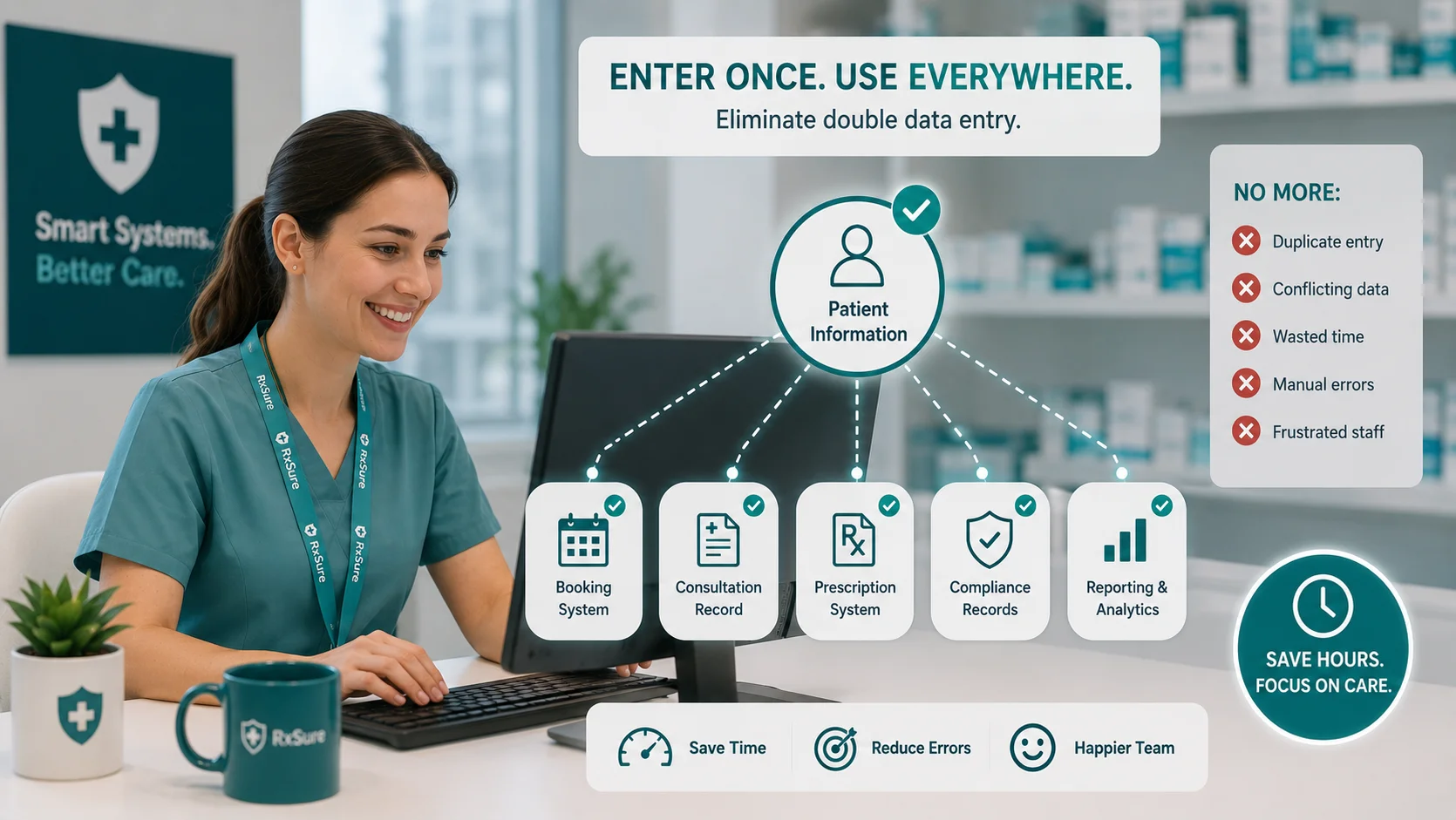
TL;DR: Stop entering the same information twice. Learn how system integration eliminates double data entry in pharmacy operations, saving time and reducing errors.
Type patient name into the booking system. Type the same patient name into the consultation record. Type it again into the prescription system. And again into the compliance record.
Same information. Multiple systems. Repeated entry. Every single time.
Double or triple or quadruple data entry is one of pharmacy most wasteful inefficiencies. It consumes time, creates errors, and frustrates staff. Yet it persists in most pharmacy operations because that is how the systems work.
Understanding the Double Entry Problem
Where Double Entry Occurs
Common double entry scenarios in pharmacy include patient details entered into PMR, booking, consultation, and outcome records. Staff information goes into HR, compliance, training, payroll, and scheduling systems. Service records appear in booking, delivery, billing, and reporting. Training completion is logged in training platform, compliance tracker, and HR records. Prescriptions exist in prescription system, PMR, and dispensing labels.
Each entry point represents time and error risk.
Why Double Entry Exists
Systems do not share data for several reasons. Historical accumulation means different systems were acquired over time without integration planning. Vendor silos mean software providers do not naturally integrate with competitors. Cost is a factor because integration requires investment in technical work. Complexity is involved because connecting systems requires technical expertise. Data standards differ since different systems use different formats and conventions.
The Real Cost
Double entry costs more than apparent.
Time cost: Staff time entering same information repeatedly. Multiplied by frequency and number of data points.
Error cost: Each entry opportunity is an error opportunity. Different entries may not match.
Frustration cost: Repetitive work is demoralising. Staff know it is wasteful.
Opportunity cost: Time spent on data entry is not spent on patient care.
The Impact of Data Entry Errors
When information is entered multiple times, entries may differ.
Example: Patient date of birth. System A shows 15/03/1985. System B shows 15/03/1958 due to transcription error. System C shows 03/15/1985 due to format confusion.
Now you have conflicting truth across systems. Which is correct? How do you find out? How do you fix all instances?
Consequences include clinical safety risks with wrong patient or wrong dose calculations, communication failures with inconsistent contact details, compliance issues where records do not match, and audit problems where discrepancies raise questions.
Strategies for Eliminating Double Entry
Strategy 1: System Consolidation
The simplest solution is fewer systems.
Assess your current systems: What does each system do? Is there overlap? Could one system do multiple jobs?
Consolidation opportunities: Replace point solutions with integrated platform. Retire legacy systems still used out of habit. Standardise on single system where multiple exist.
Considerations: Migration complexity. Training requirements. Feature gaps in consolidated system. Vendor dependency.
Strategy 2: System Integration
Connect existing systems to share data.
API integration: Systems exchange data through programmatic interfaces. Real-time or near-real-time synchronisation. Requires technical implementation.
File-based integration: Systems export and import data files. Batch synchronisation at intervals. Simpler but less immediate.
Middleware: Intermediate platform connects multiple systems. Central data hub approach. Can standardise disparate systems.
Manual with single source: One system designated as master. Other systems populated from master. Reduces but does not eliminate entry.
Strategy 3: Process Redesign
Change how work flows to reduce entry points.
Identify entry triggers: What creates need for data entry? Can triggers be reduced or combined?
Design single entry points: For each data type, where should it be entered once? How does it flow to other needs?
Eliminate unnecessary records: Do all systems actually need all data? Can some be retired?
Strategy 4: Platform Selection
When choosing new systems, prioritise integration.
Evaluation criteria: What data does the system need? Does it integrate with existing systems? What is the integration approach? Are standard APIs available? What is the track record with similar integrations?
Implementing Integration
Step 1: Map Current Data Flows
Document your current state including what data is entered where, what is duplicated across systems, what errors occur, and what time is consumed.
Step 2: Prioritise Integration Opportunities
Focus on high-impact opportunities including highest volume data entry, most error-prone entry points, most time-consuming duplications, and most frustrated staff.
Step 3: Assess Technical Options
For each priority, evaluate options including native integration available, API integration feasible, middleware solution suitable, and process change possible.
Step 4: Plan Implementation
For chosen approach, plan implementation including technical requirements, timeline and resources, testing approach, rollback capability, and training needs.
Step 5: Execute and Monitor
Implement integration, then verify data flowing correctly, errors being handled, staff trained and using, time savings realised, and issues identified and resolved.
Integration Benefits
Time Savings
Eliminating duplicate entry directly saves time. Staff enter information once. Systems share data automatically. No transcription between systems. No reconciliation of differences.
Error Reduction
Single entry means single source of truth. No conflicting versions. No transcription errors. Consistency assured.
Staff Satisfaction
Eliminating repetitive work improves morale. Staff feel time is valued. Frustration reduces. Engagement improves.
Better Data Quality
Integrated data is more trustworthy. Decisions based on accurate, consistent information. Reporting simplified. Compliance improved.
Eliminate Duplicate Work
Double data entry is a symptom of disconnected systems. Modern pharmacy management platforms eliminate this waste through integration. Enter information once, and it flows where needed.
RxSure integrates compliance, staff management, and service delivery in a single platform. No more entering the same information in multiple places.
Start your free trial and eliminate double data entry.
About this article: This article was prepared by the RxSure editorial team and is informed by publicly available UK healthcare guidance. Source references include GPhC, NICE, and BNF where cited. Content is reviewed periodically to reflect current information. This article is for general informational purposes and should not be relied upon as professional, medical, or regulatory advice. Last updated: 4 July 2026.


